
How to Use Google Maps to Research a Navi Mumbai Locality Before Buying (2026 Guide)
How to Use Google Maps to Research a Navi Mumbai Locality Before Buying
Buying your first home is exciting, but choosing the right locality is equally important. Fortunately, Google Maps makes this research much easier. Instead of depending only on a builder’s brochure, you can verify the neighbourhood yourself. Moreover, Google Maps helps you check roads, schools, hospitals, parks, and transport options. As a result, you can make a smarter buying decision with greater confidence.
First-Time Buyer Navi Mumbai: What ₹60 Lakh Gets You in 2026
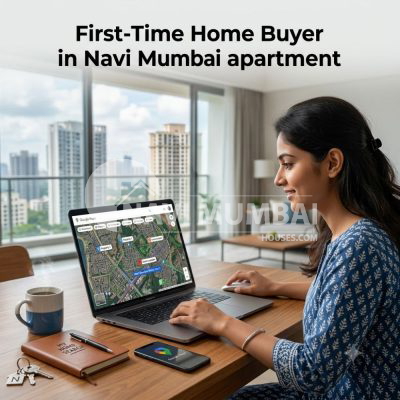
Why Use Google Maps Before Buying Property?
A beautiful apartment alone does not guarantee a good lifestyle. In fact, the surrounding locality affects your daily routine far more than many buyers realize. Therefore, researching the neighbourhood should be one of your first priorities.
Google Maps allows you to check:
- Schools
- Colleges
- Hospitals
- Shopping malls
- Grocery stores
- Railway stations
- Metro stations
- Parks
- Restaurants
- Banks
Additionally, you can compare multiple localities within a few minutes.
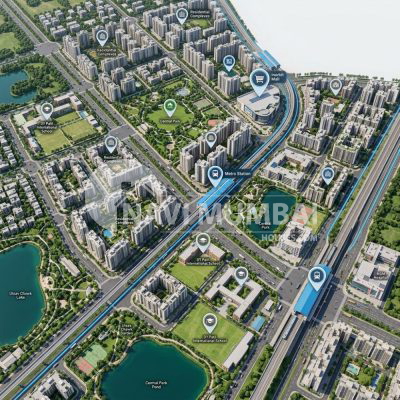
Step 1: Search the Locality
To begin with, open Google Maps and search for the locality.
Popular locations include:
- Kharghar
- Panvel
- Ulwe
- Kamothe
- Taloja
- Nerul
- Seawoods
- Belapur
Next, zoom into the project location. Then, observe the surrounding roads and nearby buildings. This way, you will understand the overall neighbourhood before visiting it.
Step 2: Turn On Satellite View
After that, switch to Satellite View.
This feature provides a realistic aerial view of the locality. For example, you can identify open plots, lakes, hills, construction sites, and industrial areas.
Furthermore, Satellite View helps you understand future development around the project. Consequently, you can judge whether the location has long-term investment potential.
Step 3: Check Daily Essentials
Daily convenience is just as important as the apartment itself. Therefore, search for nearby essential services.
Look for:
- Grocery stores
- Medical shops
- Petrol pumps
- Banks
- ATMs
- Restaurants
- Fitness centres
Ideally, these facilities should be within a short driving distance. As a result, your everyday life becomes much more comfortable.
Step 4: Search for Schools and Colleges
Families should always evaluate nearby educational institutions. Accordingly, search for schools before making a final decision.
Check for:
- CBSE Schools
- ICSE Schools
- State Board Schools
- Colleges
- Preschools
Besides checking the distance, read their ratings and reviews. Likewise, compare different schools to identify the best options.
Step 5: Find Hospitals
Healthcare is another important factor. Hence, search for nearby hospitals and clinics.
Look for:
- Multi-speciality hospitals
- Emergency centres
- Diagnostic labs
- Clinics
- Pharmacies
In addition, compare ratings and emergency services. Therefore, you can ensure quick medical assistance whenever required.
Step 6: Check Public Transport
Connectivity has a direct impact on both lifestyle and property appreciation. Consequently, verify public transport before buying.
Search for:
- Railway stations
- Metro stations
- Bus stops
- Auto stands
Moreover, upcoming metro projects often increase property values. For this reason, investors should pay close attention to future transport infrastructure.
Step 7: Estimate Your Commute
Google Maps also estimates travel time.
Simply enter your office location.
Then, compare travel times during:
- Morning rush hours
- Evening peak hours
- Weekends
As a result, you will know whether the commute fits your daily routine. Ultimately, saving travel time improves your quality of life.
Step 8: Read Local Reviews
Reviews provide valuable information. For example, residents often discuss traffic, parking, safety, and cleanliness.
Likewise, many people share their experiences about waterlogging and maintenance.
Consequently, these reviews reveal details that advertisements rarely mention.
Step 9: Explore Street View
Where available, Street View offers another useful perspective.
You can inspect:
- Road conditions
- Footpaths
- Street lighting
- Commercial activity
Although Street View is not available everywhere, it still helps buyers understand many Navi Mumbai localities.
Step 10: Analyse Traffic
Traffic affects daily life more than many buyers expect. Therefore, review traffic conditions before making a purchase.
Check traffic during:
- Morning
- Evening
- Weekends
Meanwhile, compare alternate routes. Doing so helps you avoid highly congested areas.
Step 11: Explore Lifestyle Amenities
A good locality should offer more than basic necessities. For this reason, search for lifestyle amenities.
These include:
- Parks
- Gardens
- Cafés
- Shopping malls
- Multiplexes
- Sports clubs
Besides improving convenience, these amenities often increase future property demand.
Step 12: Identify Future Growth
Finally, use Satellite View to identify future development.
Look for:
- Metro construction
- New roads
- Commercial projects
- Infrastructure work
- Open land parcels
Consequently, you can identify localities with higher appreciation potential. Eventually, these developments may increase property values significantly.
Common Mistakes First-Time Buyers Make
Many buyers skip locality research. Unfortunately, this often leads to regret later.
Avoid these mistakes:
- Trusting only advertisements
- Ignoring commute time
- Skipping hospital research
- Forgetting schools
- Not checking traffic
- Ignoring reviews
- Visiting only once
Instead, verify every important detail before making your decision.
Final Thoughts
Google Maps is much more than a navigation app. In fact, it is one of the best free research tools for home buyers. Moreover, it helps you compare different localities quickly. At the same time, it allows you to verify nearby amenities and transport options. However, online research alone is not enough. Therefore, always visit the locality in person before booking a property. After all, speaking with residents provides valuable insights that maps cannot always show. Overall, combining online research with a physical visit will help you make a safer investment. Ultimately, this simple process can save both time and money.
Frequently Asked Questions
Is Google Maps reliable for property research?
Yes. However, you should always combine Google Maps research with a physical site visit.
Can Google Maps help property investors?
Yes. Additionally, it helps identify upcoming infrastructure and future growth areas.
What should buyers check first?
Ideally, begin by checking connectivity, schools, hospitals, and commute time.
Can Google Maps show future developments?
Partially. Nevertheless, you should also verify government infrastructure announcements before making a final investment.


